On this page
Yes, if your laptop charges over USB-C and the power bank has a USB-C Power Delivery output of 45 W or more, ideally matching your laptop charger's wattage. A 30,000 mAh, 65 W bank gives roughly one full charge of a typical laptop. A small phone power bank will charge a laptop very slowly or not at all.
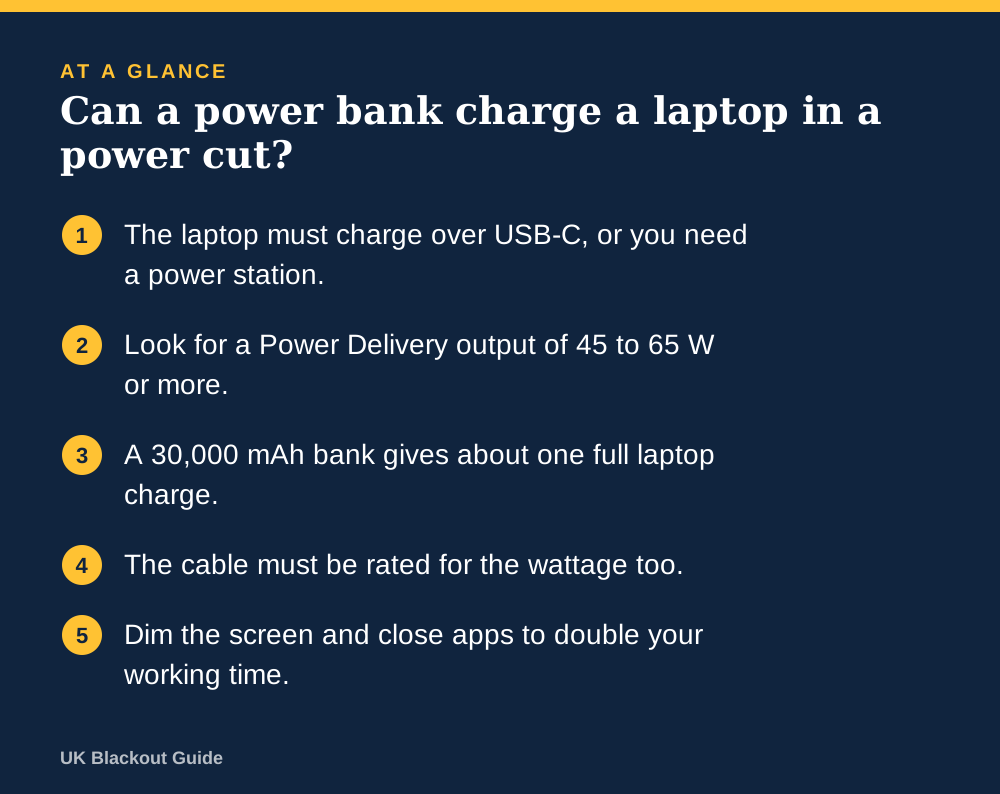
- The laptop must charge over USB-C, or you need a power station.
- Look for a Power Delivery output of 45 to 65 W or more.
- A 30,000 mAh bank gives about one full laptop charge.
- The cable must be rated for the wattage too.
- Dim the screen and close apps to double your working time.
Check the laptop first
Look at your laptop's charger. If it plugs in with a USB-C connector (small, oval, fits either way up), a suitable power bank can charge it. The wattage is printed on the charger: most are between 45 and 65 W, and larger machines can be 90 W or more.
If the charger has a round barrel plug or a proprietary connector, a USB power bank will not work without an adapter made for your model. In that case a small power station with a mains socket, the kind described in portable power stations explained, is the simpler answer, because you can plug the original charger straight in.
Output: the number that decides whether it works
A power bank's output in watts tells you how fast it can deliver energy. A laptop draws 45 to 65 W when working and charging. A basic phone power bank offers 10 to 20 W, which is less than the laptop uses while switched on, so the battery keeps falling even when connected.
Look for the words Power Delivery or PD and a figure of at least 45 W on a single USB-C port. Matching your charger's wattage is ideal. A bank with a lower figure than your charger will often still work, but more slowly, and it may only gain charge when the laptop is asleep.
The cable matters as well. Use a USB-C to USB-C cable rated for 60 W or 100 W. A thin cable bundled with a phone may limit the speed. Our list of the best charging cables includes high-wattage ones.
Capacity: how much laptop time you get
The usual rule, set out in how power banks work, is that about 65 per cent of a power bank's printed capacity reaches the device. A 30,000 mAh bank holds about 111 Wh on paper, so around 72 Wh is usable. Typical laptop batteries hold 50 to 70 Wh. That means roughly one full charge.
A 20,000 mAh bank gives around 48 Wh, which is most of one charge for a small laptop. If the laptop sips 15 W with the screen dimmed, that is about three extra hours of work. At a full 60 W it is under an hour.
The best high-capacity power banks are chosen on those criteria.
Making it last through a power cut
In a power cut, a laptop is hungry compared with a phone. One laptop charge would refill a typical phone three or four times. Decide which matters more before you plug in.
If you need to work, lower the screen brightness, switch on battery saver, close video calls when you can and unplug anything drawing power from the USB ports. Your home broadband will be down unless the router has its own backup, so plan for that too: working from home in a power cut covers tethering, router backup and what to tell your employer.
Common questions
Can a 10,000 mAh power bank charge a laptop?
Only partly, and only if it has a Power Delivery output high enough for your laptop. Expect about a third to half of one charge at best.
Is it safe to charge a laptop from a power bank?
Yes, with a USB-C Power Delivery bank and a properly rated cable. The laptop and bank agree a safe voltage between them before charging starts.
Can I charge a MacBook from a power bank?
Yes. MacBooks with USB-C charging accept Power Delivery. Larger models charge slowly from banks rated below their own charger's wattage.
Reviewed against these sources on 18 November 2026. If official advice has changed since, follow the official advice.
General information only. This page is not professional, safety, medical, legal or financial advice, and it is not official guidance. No national blackout has been forecast or announced, and nothing here suggests one is expected. We are independent and have no connection to the government or any energy company. Anything involving electricity, gas, fuel or food safety should be checked with a qualified professional or the relevant official body before you act on it. Always check the official sources linked on this page. Full disclaimer
Keep reading
 Buying guide
Best laptop power banks for working through a power cut
Laptop power banks for working through a power cut: high-output USB-C banks from Amazon UK listings, with the watts and capacity you need to keep going.
Read: Best laptop power banks for working through a Guide
Power banks explained: mAh, watts and how many charges you get
What mAh and watts mean on a power bank, why you get fewer charges than the box suggests, and how to pick and store one ready for a UK power cut.
Read: Power banks explained: mAh, watts and how Guide
Backup power for your home: every option compared
Power banks, power stations, generators, solar panels, cars and UPS units compared: what each can run in a UK power cut, for how long, and who needs which.
Read: Backup power for your home: every option Guide
Which batteries to keep at home, and how to store them
Which battery sizes and types to keep at home for power cuts, how many spares you need, and how to store alkaline, rechargeable and lithium cells safely.
Read: Which batteries to keep at home, and how to