On this page
A laptop keeps going on its battery, but your router and any desktop PC stop at once. To keep working, tether to your phone or power the router from a small UPS, and run the laptop from a high-capacity power bank or power station. A UPS on a desktop gives you minutes to save and shut down.
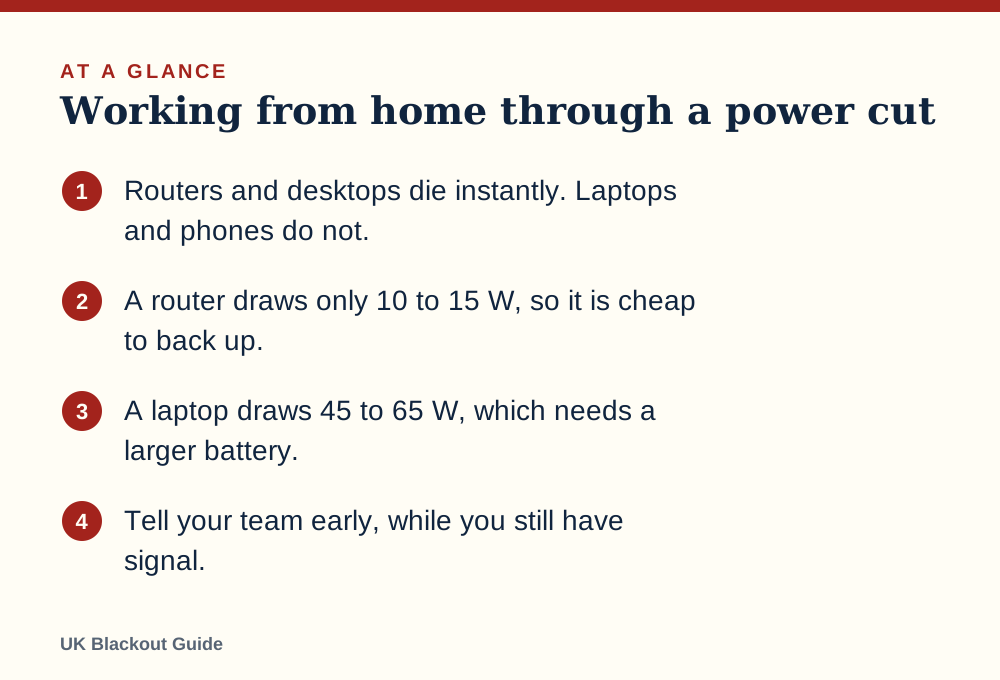
- Routers and desktops die instantly. Laptops and phones do not.
- A router draws only 10 to 15 W, so it is cheap to back up.
- A laptop draws 45 to 65 W, which needs a larger battery.
- Tell your team early, while you still have signal.
What stops and what keeps going
When the mains fails, a home office splits into two groups. Anything with its own battery carries on: laptop, phone, tablet, wireless headphones. Anything without one stops mid-task: desktop computer, monitor, router, printer, desk phone, docking station.
The router is the one people forget. Your laptop may have five hours left, but the video call drops in the first second because the broadband box has gone dark. If you use a digital landline for work, that goes with it, because those phones run through the router.
The first five minutes
Do these in order, while your phone has good signal:
- Save and close what you can on the laptop. Dim the screen and turn on battery saver.
- Message your team or manager from your phone. One line is enough: power cut, working from battery, may drop off.
- Report the cut on 105 and ask for the estimated restoration time. That number decides the rest of your day.
- Unplug the desktop, monitor and router so a surge on return cannot damage them.
If the estimate is an hour, a laptop battery covers it and you need do nothing else. If it is longer, decide now whether to keep working from backup power, move somewhere with electricity, or stop.
Getting online without mains
You have two routes.
Phone hotspot. Tethering your laptop to your mobile is the quickest fix. It uses a lot of phone battery, so plug the phone into a power bank while you do it. The weakness is the mobile network itself: masts may only work temporarily on backup power, and in a wide cut everyone nearby is trying the same thing.
Keep the router running. A router draws only about 10 to 15 watts, so a small battery unit can run it for hours, which is the simplest way of keeping your wifi on in a power cut. Whether the broadband then works depends on your connection type and on whether the equipment between you and the exchange still has power, the two things that decide whether the internet works in a power cut. Full fibre lines often stay up when the home equipment is powered. Lines served from a powered street cabinet may not.
When choosing from the mini UPS units for routers, match the voltage on your router's power adaptor.
Keeping the laptop alive
A working laptop draws roughly 45 to 65 watts while charging, far more than a phone. That changes what kind of backup battery is useful.
An ordinary small power bank will not charge most laptops at all, so whether a power bank can charge a laptop comes down to its output. You need one with a USB-C Power Delivery output rated at or near your laptop charger's wattage, and enough capacity to matter. As a rough guide, a high-capacity power bank for laptops will give a typical laptop about one extra full charge.
For a full working day, a portable power station is the next step up. The sum is simple: runtime in hours is roughly the station's watt-hours multiplied by 0.85, divided by the watts you are drawing. A 300 Wh station running a 60 W laptop gives about four hours. Add a 12 W router and it is about three and a half.
If you work on a desktop
A desktop PC has no battery, so a power cut is an instant, unclean shutdown. Unsaved work is lost and, occasionally, files are corrupted.
A UPS battery backup fixes this. It is a battery in a box that sits between the wall and the computer and switches over in a fraction of a second. A typical home UPS will not run a desktop and monitor for an afternoon. What it gives you is several minutes to save, close and shut down properly, which is the point. It also smooths out the brief flickers that would otherwise reboot the machine.
Set yourself up so a cut costs you less
Most of the damage from a power cut at work is avoidable with habits, not hardware.
- Turn on autosave and offline access for the documents you use daily.
- Keep your laptop above half charge during the working day.
- Save key phone numbers, including your manager's and the IT helpdesk's, in your mobile and on paper.
- Know your company's policy. Many employers expect you to report an outage and will agree a plan, whether that is making up time or working from another site.
- Have a fallback location in mind, such as a relative's house, a library or the office.
If national rota power cuts were ever introduced in an energy shortage, they would be planned in blocks of about three hours by load block letter, so you could schedule around them.
Know when to stop
There is a point where keeping the laptop going is the wrong priority. If the house is getting cold, if it is getting dark, or if your phone is the family's only link to news and emergency calls, save the batteries for that.
Do not run a generator indoors or in a garage to keep an office going. Generators produce carbon monoxide, which has no smell and can kill. A generator must never be plugged into a house socket either.
Tell your team you are signing off, shut the laptop and deal with the household first, using our general power cut guide. The work will be there when the lights come back.
Common questions
Will my broadband work if I power the router?
Sometimes. It depends on your connection type and whether network equipment outside your home still has power. Full fibre is more likely to stay up than lines fed from a street cabinet.
How long will a laptop last on battery?
It varies widely by model and workload. Dimming the screen, closing video calls and turning on battery saver can stretch it considerably.
Does my employer have to pay me during a power cut?
That depends on your contract and your employer's policy. Report the outage promptly and ask what they expect.
Can I plug a UPS into a surge protected extension lead?
Manufacturers generally advise plugging a UPS straight into the wall socket. Check the instructions for your model.
Reviewed against these sources on 18 November 2026. If official advice has changed since, follow the official advice.
General information only. This page is not professional, safety, medical, legal or financial advice, and it is not official guidance. No national blackout has been forecast or announced, and nothing here suggests one is expected. We are independent and have no connection to the government or any energy company. Always check the official sources linked on this page. Full disclaimer
Keep reading
 Question
Can a power cut damage appliances?
A power cut rarely harms appliances by itself. The risk comes from surges and flickering when supply returns, and from computers losing power mid-task.
Read: Can a power cut damage appliances? Buying guide
Best power cut essentials: the blackout kit worth buying
The blackout kit worth buying for a UK power cut: a battery torch, a lantern, a power bank, a wind-up radio, an automatic light and a flask, with picks.
Read: Best power cut essentials: the blackout kit Buying guide
Best surge protectors for power cuts
Surge protectors for power cuts: extension leads that guard a TV, computer or router from the spike when the mains returns, chosen from Amazon UK listings.
Read: Best surge protectors for power cuts Question
Can I charge an electric car in a power cut?
You cannot charge an electric car at home in a power cut, as the charger needs mains power. Public chargers outside the affected area will still work.
Read: Can I charge an electric car in a power cut?