On this page
A UPS (uninterruptible power supply) is a battery backup that takes over the instant the mains fails, so connected equipment never switches off. It is built to bridge short gaps, typically minutes for a desktop PC and a few hours for a router, and to protect electronics from surges and dips.
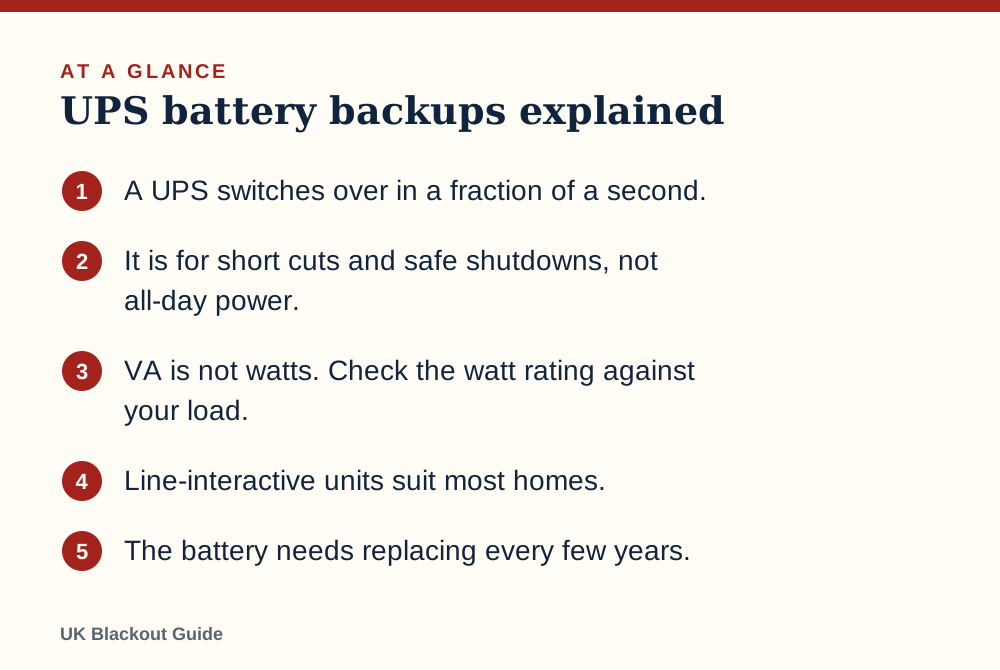
- A UPS switches over in a fraction of a second.
- It is for short cuts and safe shutdowns, not all-day power.
- VA is not watts. Check the watt rating against your load.
- Line-interactive units suit most homes.
- The battery needs replacing every few years.
What a UPS does that other batteries do not
A power bank or power station supplies power when you plug something into it. A UPS sits permanently between the wall socket and your equipment, passing mains power through and keeping its own battery full. The moment the mains drops, it switches to the battery so quickly that a computer carries on without noticing.
That instant switch is the whole point. It stops a desktop PC from crashing mid-save, keeps a router from rebooting, and holds up a network drive or a home server. Most units also smooth out brief dips and spikes in the supply, which are common just before and after a power cut.
The trade-off is capacity. A UPS battery is small. It is meant to carry you through a flicker or a short cut, or give you ten minutes to save your work and shut down cleanly.
The three types
Standby (offline) units are the simplest and cheapest. They pass mains straight through and switch to battery when it fails. Fine for a router or a basic home PC.
Line-interactive units add voltage regulation, correcting sags and swells without touching the battery. This is the sensible middle ground for most homes and home offices.
Online (double conversion) units run the equipment from the battery circuit all the time, so there is no switchover at all. They are more expensive, noisier and use more electricity, and are aimed at servers and sensitive equipment.
A fourth kind, the DC mini UPS for routers, is a small battery box that feeds low-voltage devices such as routers directly. It is the most efficient choice when the router is all you want to protect.
VA and watts are not the same thing
UPS units are sold by their VA (volt-amp) rating, such as 600 VA or 1,000 VA. This is not the number of watts they can supply. The watt rating is always lower, often around 60% of the VA figure on small units, so a 600 VA model might support roughly 360 W. Always look for the watt figure in the specification.
Then add up your load. A router is 10 to 15 W and a laptop 45 to 65 W. A desktop PC and monitor vary widely, so read their rating labels or measure them with a plug-in energy monitor. Keep the total comfortably under the UPS's watt rating, as running close to the limit shortens runtime sharply.
Neither VA nor watts tells you how long it will last. That depends on the battery inside, which makers rarely state prominently. Look for the runtime chart instead.
How long a UPS really lasts
The general sum for any battery is watt-hours times 0.85, divided by the load in watts. A small UPS might hold a battery of around 80 Wh. On paper that runs a 12 W router for more than 5 hours, or a 200 W desktop setup for about 20 minutes.
Real figures are usually lower, especially at small loads, because the UPS's own electronics use power the whole time it is on battery. A router alone might get a couple of hours, not five. The manufacturer's runtime chart for your load is the figure to trust, and we give typical ranges in how long a UPS keeps a router running.
If you need many hours, a UPS is the wrong tool. A portable power station holds far more energy for the money. Some power stations include a UPS mode, though the switchover is not always fast enough for a desktop PC, so check the stated transfer time.
What to plug in and what to leave out
Good candidates are a desktop PC and monitor, a router and fibre terminal, a network drive, a cordless phone base station and a smart home hub. If internet is all you care about, keeping your Wi-Fi running in a power cut takes a much smaller unit.
Leave out anything with a heater or a large motor: laser printers, kettles, fan heaters, fridges and vacuum cleaners. They overload a small UPS at once.
Do not rely on a consumer UPS for medical equipment in a power cut unless the equipment's manufacturer or your clinician has approved it. Register with the Priority Services Register.
Telecare hubs and personal alarms usually have their own built-in backup battery. Check with your provider.
A UPS is also surge protection, with limits
When power returns after a cut it can arrive with a surge, which is how a power cut can damage appliances and why the official advice is to unplug TVs and PCs during a cut. A UPS gives connected equipment a buffer against that, and against the brief dips that make lights flicker.
It only protects what is plugged into it. For the television and other electronics elsewhere in the house, a surge-protected extension lead is the cheaper answer.
Living with one: beeps, batteries and testing
A UPS beeps when it is running on battery, and faster as it runs low. In a night-time cut this will wake you. Most units let you silence the alarm with a button or through their software, so learn how in advance.
The battery inside wears out, typically after a few years, and many units have user-replaceable batteries. A self-test button or a warning light tells you when it is failing. Test it twice a year by switching off at the wall with a non-critical load attached and timing how long it lasts.
Place the unit on a hard floor with air around it, not buried under a desk in carpet fluff. When you are ready to choose, our UPS battery backup shortlist is grouped by what each unit protects.
Common questions
Is a UPS worth it for a laptop?
Not for the laptop itself, which already has a battery. It is useful for the router, monitor or external drives the laptop depends on.
Can I plug an extension lead into a UPS?
Makers generally advise against chaining extension leads or surge protectors to a UPS. Plug equipment directly into its battery-backed sockets.
Does a UPS use electricity when the mains is on?
Yes, a small amount to run its electronics and keep the battery topped up. Online types use the most.
Why does my UPS click sometimes?
A line-interactive unit clicks when it corrects a dip or rise in mains voltage. Occasional clicks are normal.
Reviewed against these sources on 18 November 2026. If official advice has changed since, follow the official advice.
General information only. This page is not professional, safety, medical, legal or financial advice, and it is not official guidance. No national blackout has been forecast or announced, and nothing here suggests one is expected. We are independent and have no connection to the government or any energy company. Anything involving electricity, gas, fuel or food safety should be checked with a qualified professional or the relevant official body before you act on it. Always check the official sources linked on this page. Full disclaimer
Keep reading
 Guide
How to keep your Wi-Fi on in a power cut
How to keep your router and home broadband running in a power cut with a mini UPS or power station, how long each lasts, and when it will not help.
Read: How to keep your Wi-Fi on in a power cut Buying guide
Best router battery backups to keep Wi-Fi on in a power cut
Router battery backups that keep Wi-Fi on in a power cut: mini UPS units from Amazon UK listings, with runtime sums and the checks to make before buying.
Read: Best router battery backups to keep Wi-Fi on Buying guide
Best UPS battery backups for power cuts
UPS battery backups for UK power cuts, 550 to 1,050 VA, chosen from Amazon UK listings: what they keep running, for how long, and what to check first.
Read: Best UPS battery backups for power cuts Question
How long will a UPS run a router in a power cut?
A mini UPS runs a typical router for about 2 to 6 hours, depending on capacity. How to work out runtime in minutes, and what else needs power for wifi.
Read: How long will a UPS run a router in a power