On this page
The cheapest protection is to unplug sensitive electronics during a power cut and plug them back in a few minutes after supply returns. Official Be Ready advice is to unplug TVs and computers because of the surge on return. A surge-protected extension lead covers the times you are out, and a UPS adds battery time for computers and routers.
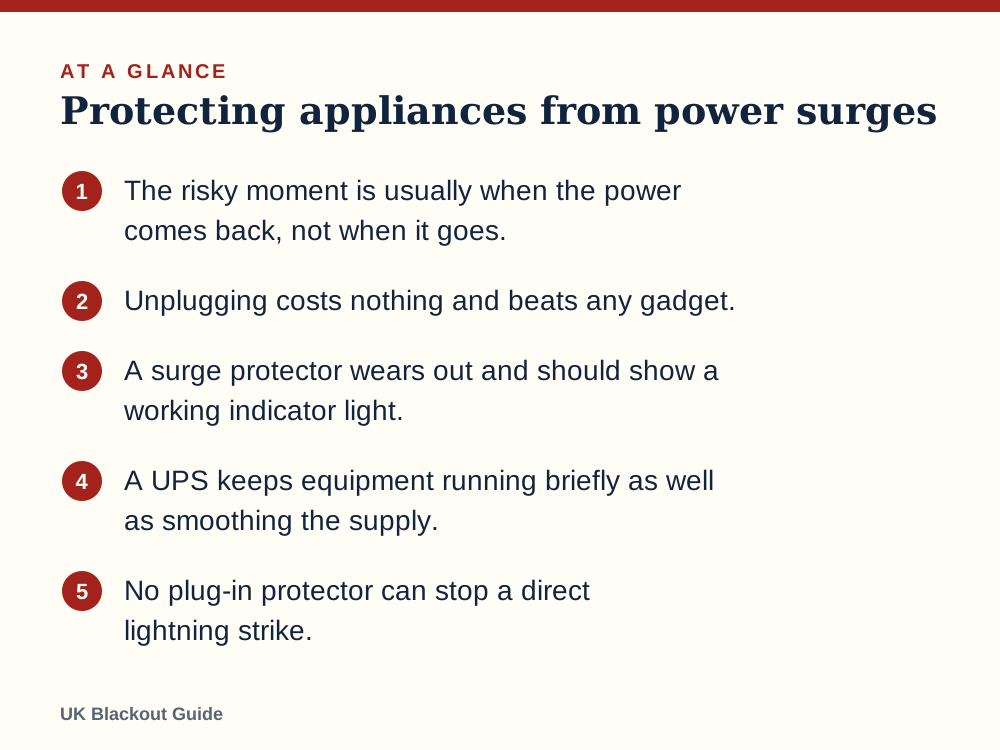
- The risky moment is usually when the power comes back, not when it goes.
- Unplugging costs nothing and beats any gadget.
- A surge protector wears out and should show a working indicator light.
- A UPS keeps equipment running briefly as well as smoothing the supply.
- No plug-in protector can stop a direct lightning strike.
Why the return of power is the risky moment
A surge is a brief spike in voltage above the normal mains level. It can arrive when supply is restored after a fault, when the network is switched, or when lightning strikes lines nearby.
When power comes back to a street, every fridge, freezer, pump and heater that was running tries to start at once. The voltage can dip and jump for a few seconds while things settle. Most modern appliances shrug this off, but delicate electronics do not always.
That is the reasoning behind the official Be Ready advice to unplug your TV and PC during a cut. On the wider question of whether a power cut can damage appliances, real harm is less common than people fear.
Which appliances need protecting
Think in two groups. The first is anything with a circuit board and a low-voltage power supply: televisions, computers, games consoles, routers, set-top boxes, smart speakers and chargers. These are the most vulnerable and the easiest to unplug.
The second group is appliances with motors and compressors, mainly fridges and freezers. They are tougher, and you should leave them plugged in so they restart and protect your food. Keep the doors shut in the meantime, as the Food Standards Agency advises.
Heat-producing appliances are a different risk, and they head the list of what to switch off in a power cut. Be Ready says to turn off irons, ovens, electric fires and fryers, because they will switch back on unattended when supply returns.
Unplugging is the best protection there is
A device that is not connected to the mains cannot be damaged by the mains. Switching off at the wall helps, but pulling the plug is better, because it leaves a real air gap.
Go round once when the lights go out. Unplug the TV, the computer and anything else expensive. Leave one lamp switched on so you can see when the power is back.
When the power comes back, wait a few minutes before reconnecting, then plug things in one at a time.
What a surge protector does and does not do
You are not always at home when a cut starts or ends. A surge-protected extension lead sits between the socket and your equipment and diverts a voltage spike away before it reaches the device.
The protective part inside is sacrificial. Each surge it absorbs uses some of it up, and after enough of them it stops protecting while the sockets carry on working. That is why a status light matters.
A plain multi-way extension lead is not a surge-protected extension lead, even if it has a switch and a neon. Check the packaging says surge protection.
No plug-in protector will stop a direct or very close lightning strike. In a thunderstorm, unplugging is still the only sure protection, and do not overload any extension lead with heaters or kettles.
When a UPS is worth having
A UPS battery backup (uninterruptible power supply) is a box with a battery inside. Your equipment plugs into it, and it switches to battery the instant the mains fails. It also filters surges and dips.
A UPS for power cuts suits equipment that should not lose power suddenly: a desktop computer with unsaved work, a network storage drive, or a router you want to keep online.
A UPS is for electronics, not for fridges, heaters or kettles. If keeping broadband alive is your only aim, a small DC unit made for routers is cheaper, once you have checked how long a UPS will run a router.
If something is damaged anyway
Damage does occasionally happen, and when it does it is usually to a power supply or a circuit board. Take photos, note the date and time of the cut, and keep the appliance until you know whether a claim is possible.
Two routes exist. Some home insurance policies cover electrical damage, often under accidental damage, so check how your insurance treats power cuts. Separately, if you believe the network caused the damage, you can raise it with your network operator, the company you reach by calling 105.
For most households the sensible spend is small: unplug the expensive things, put a surge-protected lead behind the TV and the computer, and consider a UPS only if working from home through a power cut is something you need to plan for.
Common questions
Should I unplug my fridge freezer in a power cut?
No. Leave it plugged in with the door shut so it restarts on its own and keeps food cold.
Do surge protectors wear out?
Yes. The protective component degrades with each surge it absorbs. Replace the unit if its protection light goes out or after a known large surge.
Does a rota power cut cause surges?
Any return of supply can cause a brief spike, planned or not. The same advice applies: unplug sensitive electronics and reconnect a few minutes after power returns.
Is switching off at the wall enough?
It helps, but unplugging is safer because it physically disconnects the device.
Reviewed against these sources on 18 November 2026. If official advice has changed since, follow the official advice.
General information only. This page is not professional, safety, medical, legal or financial advice, and it is not official guidance. No national blackout has been forecast or announced, and nothing here suggests one is expected. We are independent and have no connection to the government or any energy company. Always check the official sources linked on this page. Full disclaimer
Keep reading
 Question
Can a power cut damage appliances?
A power cut rarely harms appliances by itself. The risk comes from surges and flickering when supply returns, and from computers losing power mid-task.
Read: Can a power cut damage appliances? Guide
Smart homes in a power cut: locks, heating and cameras
What happens to smart locks, heating controls, cameras, bulbs and hubs in a power cut, which ones fail safely, and how a small battery backup helps.
Read: Smart homes in a power cut: locks, heating Buying guide
Best cash boxes for emergency cash at home
Lockable cash boxes for keeping emergency notes and coins ready at home for when card payments fail in a power cut. Eight Amazon UK listings compared.
Read: Best cash boxes for emergency cash at home Buying guide
Best fireproof document bags for emergency paperwork
Fire-resistant document bags for emergency paperwork: keep passports, policies, contacts and cash ready to grab. Seven Amazon UK listings compared.
Read: Best fireproof document bags for emergency