On this page
In a power cut most smart home devices either stop or fall back to basic manual operation. Battery smart locks still open, but app control is lost once the router goes off. Smart heating stops because the boiler itself needs electricity. Mains cameras stop recording. A small battery backup on the router and hub restores app control for a few hours.
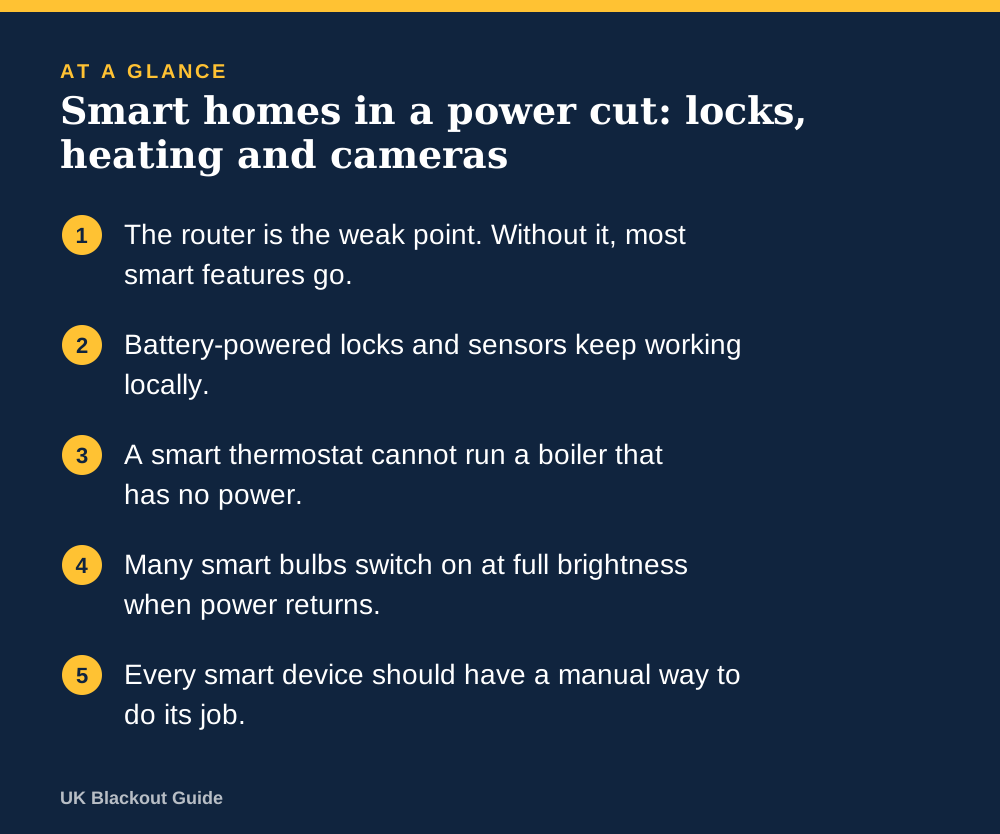
- The router is the weak point. Without it, most smart features go.
- Battery-powered locks and sensors keep working locally.
- A smart thermostat cannot run a boiler that has no power.
- Many smart bulbs switch on at full brightness when power returns.
- Every smart device should have a manual way to do its job.
Three things every smart device depends on
A smart device needs power for itself, a working home network to talk to, and usually an internet connection to reach the maker's servers. A power cut can remove all three, but not always at the same moment.
Battery devices keep their own power. Your router and hub do not, so the home network drops at once. Even if you back the router up, whether the internet works in a power cut depends on the broadband service beyond your wall, which may go down later, because street cabinets and exchanges have limited backup of their own.
The practical rule is simple: assume the app will not work, and check that each device can still do its basic job by hand.
Device by device
| Device | During the cut | Manual fallback |
|---|---|---|
| Smart lock | Usually runs on its own batteries. Keypad, fob or Bluetooth may work. Remote access does not. | Physical key |
| Smart thermostat | May stay lit on batteries, but the boiler and pump are off. | None for central heating. Use layers and blankets. |
| Mains camera or doorbell | Off. | Door chain and a look through the window |
| Battery camera or doorbell | Powered, but cannot upload or alert without Wi-Fi. Models with local storage may still record. | As above |
| Smart bulbs and plugs | Off. | Torches and lanterns |
| Smart speaker | Off. | Battery or wind-up radio |
| Burglar alarm with app | Often has a backup battery for the panel and siren. App alerts depend on its connection. | Keypad at the panel |
| Smart meter display | The in-home display goes off. The meter keeps its readings. | None needed |
Makes and models differ, so check your own manuals, above all for how your smart lock behaves in a power cut.
Smart heating still needs a powered boiler
A smart thermostat is a switch that tells the boiler when to fire. A gas boiler needs mains electricity for its controls, ignition and pump, typically 100 to 150 watts, so with no power there is nothing for the thermostat to switch.
Smart radiator valves usually stay in whatever position they were in. That is harmless, since no hot water is circulating. When power returns, the system should resume its schedule, though you may need to know how to reset a boiler after a power cut.
Plan on keeping warm in a power cut by other means. The NHS advises heating the rooms you use to at least 18°C in normal times, so a long winter cut deserves a plan, particularly for older people and babies.
Never bring a barbecue, camping stove or patio heater indoors for warmth. They produce carbon monoxide, which has no smell and can kill.
Keeping the router and hub alive
If you want your smart home to keep working through a short cut, the router is the place to spend money, and keeping Wi-Fi on in a power cut is cheap. A router draws only about 10 to 15 watts, and a hub less, so a small battery can carry them for hours.
A mini UPS for a router is the cheapest route. Remember what else in the chain needs power, such as a separate fibre box.
If you also want to keep a desktop computer, network drive or camera recorder running, a mains UPS battery backup with several sockets does the job.
Runtime in hours is roughly the battery's watt-hours multiplied by 0.85, divided by the watts you are drawing.
What happens when the power returns
The return can be more disruptive than the cut. Many smart bulbs default to switching on at full brightness when power is restored, which is unwelcome at 3am. Most apps have a "power-on behaviour" setting that lets you choose off or the previous state. Set it now.
Smart plugs vary in the same way. Check that anything plugged into one, especially a heater or an iron, will not start up unattended. Official advice is to turn off irons, ovens, electric fires and fryers during a cut for this reason.
Routers can take several minutes to reconnect, and devices may need longer to find the hub again.
A ten-minute resilience check
You can find the gaps in your own setup without waiting for a real cut. Pick a daytime hour and switch the router off at the wall.
Then walk round. Can you unlock the front door from outside? Can you arm and disarm the alarm? Does anything important stop that you had forgotten about, such as a telecare pendant or a digital landline? Digital landlines need mains power, and providers may give a free battery backup to people who depend on one, so ask yours.
Write down what failed and what the manual fallback is. Put spare batteries for locks and sensors with your kit, and make sure nobody in the house relies on a voice assistant as their only way to switch on a light or call for help.
Common questions
Will my smart home lose its settings after a power cut?
Normally not. Schedules and device settings are stored in the devices or the maker's cloud and return once everything reconnects.
Can a power bank run my smart hub?
If the hub is powered by USB, usually yes. A hub that draws a few watts can run for many hours from an ordinary power bank.
Do smart smoke alarms work in a power cut?
Alarms with batteries or battery backup still sound locally. Phone alerts depend on Wi-Fi. Test them regularly whatever the type.
Is a smart home a bad idea for blackouts?
No, as long as every device has a manual fallback and you keep physical keys, torches and a battery radio.
Reviewed against these sources on 18 November 2026. If official advice has changed since, follow the official advice.
General information only. This page is not professional, safety, medical, legal or financial advice, and it is not official guidance. No national blackout has been forecast or announced, and nothing here suggests one is expected. We are independent and have no connection to the government or any energy company. Always check the official sources linked on this page. Full disclaimer
Keep reading
 Question
Why won't my router reconnect after a power cut?
Why a broadband router may not reconnect after a power cut, how long to wait, the restart order that fixes most cases and when to call your provider.
Read: Why won't my router reconnect after a power Guide
Protecting appliances from power surges
How power surges happen when electricity returns after a cut, which appliances are most at risk, and what unplugging, surge protectors and a UPS each do.
Read: Protecting appliances from power surges Buying guide
Best cash boxes for emergency cash at home
Lockable cash boxes for keeping emergency notes and coins ready at home for when card payments fail in a power cut. Eight Amazon UK listings compared.
Read: Best cash boxes for emergency cash at home Buying guide
Best fireproof document bags for emergency paperwork
Fire-resistant document bags for emergency paperwork: keep passports, policies, contacts and cash ready to grab. Seven Amazon UK listings compared.
Read: Best fireproof document bags for emergency