On this page
To make a phone last through a power cut, switch on low power mode straight away, turn the screen brightness down, close wifi and Bluetooth, and keep the phone in flight mode between planned check-ins. Used this way for calls, texts and brief news checks, a full battery can stretch across days instead of hours.
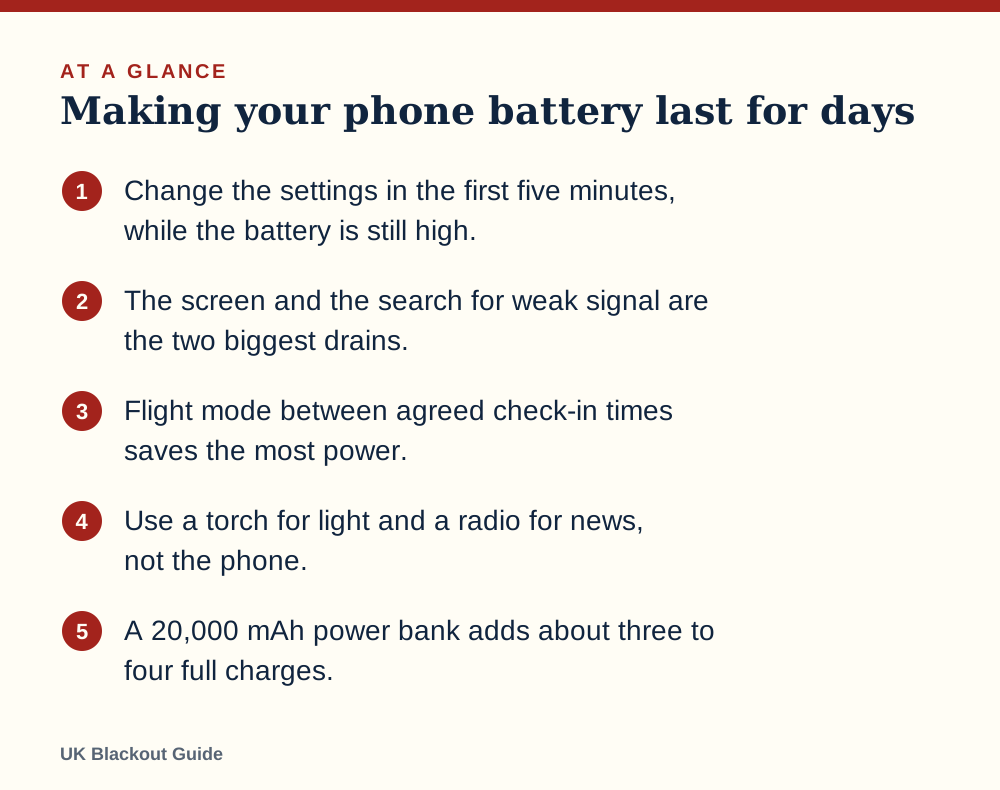
- Change the settings in the first five minutes, while the battery is still high.
- The screen and the search for weak signal are the two biggest drains.
- Flight mode between agreed check-in times saves the most power.
- Use a torch for light and a radio for news, not the phone.
- A 20,000 mAh power bank adds about three to four full charges.
The first five minutes
The moment the lights go out is when your battery is highest and your attention is most scattered. Before you do anything else with the phone, make these changes.
- Turn on low power mode (called battery saver on many Android phones).
- Drag screen brightness down to the lowest level you can read.
- Switch off wifi and Bluetooth. Your router is off, so the phone would only waste power looking for it.
- Close apps that play video, music or games.
- Check the battery percentage and say it out loud, so the household knows what you are working with.
Then send one short text to the people who need to know you are fine, and put the phone down. Whether mobile phones keep working in a power cut depends on the masts near you.
What uses the power
The screen is the largest drain on almost every phone. Video, maps with location tracking, video calls and the camera flash follow close behind. A voice call uses much less, and a text message uses almost nothing.
The hidden drain is signal. When a mast is struggling or far away, the phone raises its transmit power and searches repeatedly for a better connection. In a wide outage that can empty a battery in an afternoon without the screen ever being on. You may notice the phone feels warm in your pocket.
This is why using your phone as a torch matters too. The flash LED is not a huge drain on its own, but using the phone as your light means the screen wakes constantly and the battery you need for calls goes on seeing the stairs. A cheap torch solves it.
A rationing routine that works
Flight mode stops the phone searching for signal, and it is the single most effective setting once you are past the first hour. The cost is that nobody can reach you while it is on, so agree a pattern.
A simple one: phones come out of flight mode for five minutes on the hour, every hour or every two hours. You check messages, reply, look at one trusted news source or your network operator's fault page, then go back to flight mode. Tell family the pattern in your first text so they know when to expect replies.
If there are several phones in the house, do not run them all at once. Keep one as the active phone and leave the others switched off completely, with their charge saved. Swap when the first drops low. Two adults with full phones used in turn have roughly double the endurance of two phones idling side by side.
If someone in the home may need to call 999, or is waiting for an urgent call from a carer or hospital, keep one phone on with the ringer up. Saving battery never comes ahead of being reachable in an emergency.
Small settings that add up
- Use dark mode if your phone has an OLED screen, and set the screen to lock after 30 seconds.
- Turn off background app refresh and automatic updates or backups.
- Switch location services off unless you are using a map.
- Text instead of calling, and call instead of video calling.
- Download nothing. Photos and videos sent by others can wait.
- Turn off vibration and keyboard clicks.
Cold matters as well. Lithium batteries give less in a cold room and a phone left on a winter windowsill may shut down early. Keep it in an inside pocket. Do not warm it on a heater or hot water bottle.
Topping up: what a power bank really gives you
Power banks lose some energy in conversion, so the number on the case overstates what reaches your phone. A fair estimate of how many times a power bank can charge a phone is the power bank's mAh multiplied by 0.65, divided by your phone's battery size in mAh. A 20,000 mAh bank gives about three to four charges of a typical phone.
Whichever power bank for power cuts you own, charge the phone from about 20% up to about 80% and unplug it. The last stretch to 100% is slower and less efficient, and you do not need it. Charge with the phone in flight mode or switched off and it will fill faster.
Other ways to add charge
Charging a phone from your car works because a car is a large battery with a charger attached. A USB socket or a 12 V adaptor will fill a phone while you drive, or with the engine running outdoors. Never run an engine in a garage, even with the door open, because exhaust contains carbon monoxide.
A laptop with a full battery will charge a phone from its USB port even with the lid nearly closed. A workplace, library or relative's house outside the affected area will usually let you plug in, which rounds out the main ways of charging a phone in a blackout.
Before the next cut, keep the power bank charged, keep a cable with it or with your phone charger for a blackout, and write your key phone numbers on paper. A phone that does run flat is then an inconvenience and no more.
Common questions
Should I turn my phone off completely?
For spare phones, yes. For the one you rely on, flight mode with planned check-ins is more practical, because starting up from cold uses power and takes time.
Does closing apps save battery?
Closing apps that are streaming, tracking location or playing sound helps. Swiping away every idle app makes little difference.
Is low power mode enough on its own?
It helps, but it does not stop the phone searching for a weak signal. Combine it with flight mode between check-ins.
How long will my phone last in flight mode?
It depends on the phone and its age, but a healthy battery left in flight mode with the screen off typically loses only a few per cent a day.
Reviewed against these sources on 18 November 2026. If official advice has changed since, follow the official advice.
General information only. This page is not professional, safety, medical, legal or financial advice, and it is not official guidance. No national blackout has been forecast or announced, and nothing here suggests one is expected. We are independent and have no connection to the government or any energy company. Always check the official sources linked on this page. Full disclaimer
Keep reading
 Guide
Calling 999 in a power cut
How to reach 999 in a UK power cut from a mobile, landline or by text, what to try if there is no signal, and which number to ring for which problem.
Read: Calling 999 in a power cut Buying guide
Best battery radios for power cuts and blackouts
Battery radios for power cuts and blackouts, chosen from Amazon UK listings on AA battery power, FM and DAB bands, simple controls and buyer ratings.
Read: Best battery radios for power cuts and Buying guide
Best charging cables for an emergency kit
Spare charging cables for an emergency kit, so your power bank, car socket or wind-up radio can charge a phone in a power cut. Chosen from Amazon UK listings.
Read: Best charging cables for an emergency kit Buying guide
Best corded phones that work in a power cut
Corded landline phones that draw power from the phone line and can keep working in a power cut, picked from Amazon UK, with plain advice on digital lines.
Read: Best corded phones that work in a power cut